
Apps open normally after boot, but get slower to start as the day goes on? On Windows with a Radeon RX 5000 or newer, the graphics driver is one place to look. AMD’s November 18 release notes list a fix for a memory leak associated with that symptom.
What AMD fixed
A memory leak happens when software holds on to memory it no longer needs. AMD describes a problem that got worse over time: applications took progressively longer to open. That is not a promise of higher frame rates, and it does not explain every slow Windows app.
The RX 6000 exception
Crimson Desert may fail to launch on Radeon RX 6000 graphics. AMD recommends Adrenalin 26.11.1 if you are experiencing that issue, not for everyone with an RX 6000 card. The same notes add game support for the Charting the Unknown DLC; that does not remove the known launch issue.
How to check your version
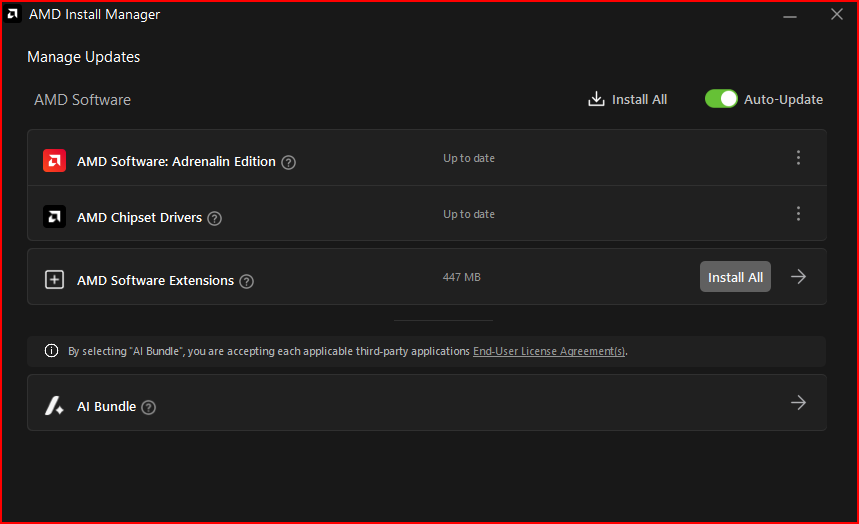
In Windows, open AMD Software: Adrenalin Edition and look for System. You can see your installed version and check for updates there. On a laptop, check the computer maker’s recommended package first for system-specific features.
The Mais FPS take: If apps struggle to open after hours of use, this fix tells you more than any generic promise of performance. If the only app that won’t open is Crimson Desert on an RX 6000, the known-issues list is the more useful part of the update.
Sources
AMD driver release notes · AMD guide to checking versions and updates